Day 2: Basic Linux Commands

#Day2 of #90DaysofDevops challenge
Linux came from a Unix family, linux is a free and open-source operating system, which was developed by Linus Torvalds in September 1991.
Command to check your present working directory
The "pwd" command stands for Print Working Directory. It prints the path of the working directory, starting from the root.
pwd is shell built-in command(pwd) or an actual binary(/bin/pwd).

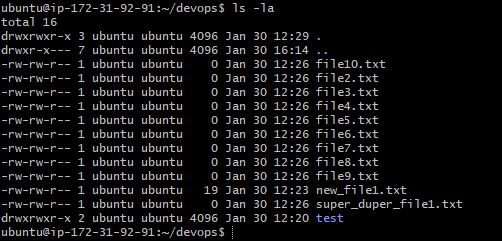
Command to list all the files and directories with hidden files
"ls -a" will list all files and directories including hidden files (files with names beginning with a dot).
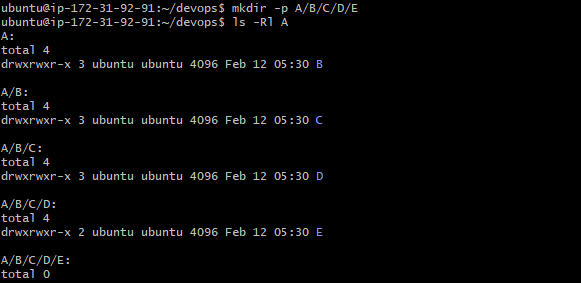
Create a nested directory A/B/C/D/E
"mkdir -p A/B/C/D/E" command is used to create a nested directory.
Thank you for reading! 😇
-Nidhi


